Know your current attribute goal and how much you value keeping this run.
Recognize a temporary pickup before changing course
Rocket Shoes appears in the recorded street route at 4:55, followed by faster movement. The practical benefit is reaching nearby collectibles; the video does not establish a fixed spawn timer or a guaranteed location.
A timed status appears near the hotbar after the pickup. Read the remaining time before deciding how far to travel, and keep the route close enough to your home pads to return and collect MogPoints.
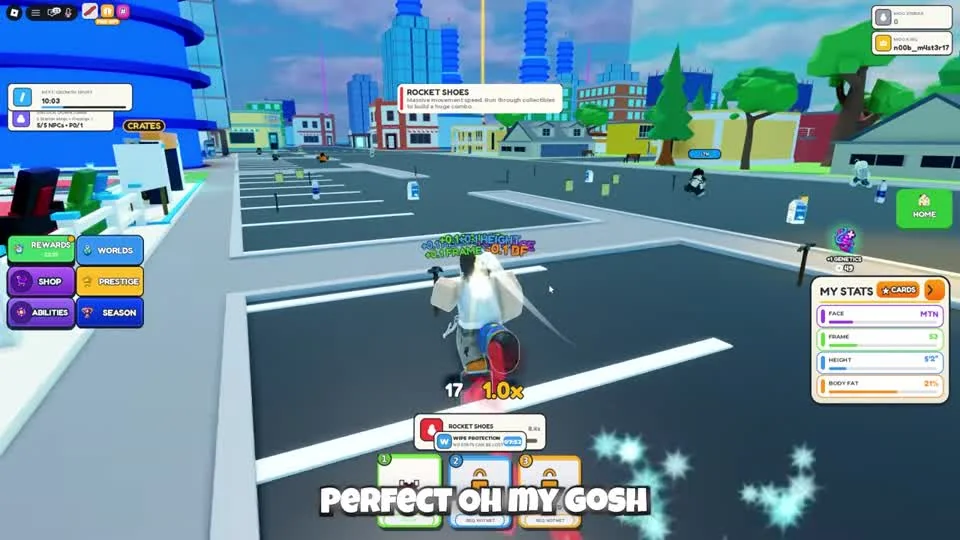
Rocket Shoes is a temporary pickup in this run. Use the visible status to plan a short collection loop; this frame does not establish a spawn schedule.
CHALLS on YouTube · 4:55Combine a short route with the ability you own
CHALLS activates Magnet during collection and continues through the nearby street items. This is a worked collection example; it does not establish an optimal build or remove battle risk.
- Find your home pad and choose a nearby street segment you can retrace.
- Read the available ability and activate it using its displayed slot control.
- Pick up the items needed for your current attribute goal.
- Watch nearby players and the temporary-effect timer; return before extending into an unfamiliar area.
End the loop with a pad and reward check
Return to Manage if you have a captured mogger waiting for a pad. Collect stored MogPoints before deciding how to spend them on another roll.
Rewards contains daily and playtime rewards in the video. Claim entries that are available on your account; the recording does not establish that each account receives identical rewards.
- Return to your home pad and collect what has accumulated.
- Check for an unplaced captured mogger in Manage.
- Open Rewards and inspect the available daily or playtime claims.
- Choose the next attribute target before leaving again.
Questions before your next run
Where do I collect stored MogPoints?
Return to the collection point on your home pad. Use Manage to check whether an owned mogger is placed there.
Watch the walkthrough
Follow the original gameplay alongside these steps. Menus and balance can change after a video is published.